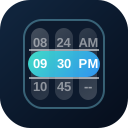
QDateScroller renders year, month, and day columns for compact date selection. Use it when users need nearby date values visible without opening a full calendar.
Basic
Colors
Use palette names, CSS colors, or CSS custom properties to tune the shell, selected bar, and inner scroller area.
Disabled
Disable the full scroller or block specific years, months, and days.
Visible Parts
Hide year, month, or day columns when the surrounding UI already provides that context.
Locale
Use the locale prop to change the generated date labels.
QInput
Place the date scroller in a popup when the form should still show a compact input field.
Slots
Use slots to display the selected date in custom header or footer content.
Value Types
The scroller can accept common date shapes and emits the same shape back where possible.