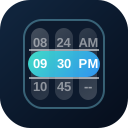
QStringScroller scrolls through a fixed list of string choices. It is a good fit for sizes, statuses, durations, quantities, and other compact option lists where nearby choices should stay visible.
Use the dedicated component when you know the view is always string-based. Use QScroller with view="string" only when a single wrapper component helps simplify dynamic templates.
Basic
Colors
Use palette names, CSS colors, or CSS custom properties to tune the shell, selected bar, and inner scroller area.
Disabled
Disable the whole scroller or individual string items.
QInput
Place a scroller inside a popup when an input should keep a compact text field in the main form.
Slots
Use the header and footer slots to add context around the selected value.