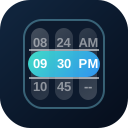
QTimeRangeScroller renders start and end time scrollers together. It validates that the end time does not come before the start time unless disable-validation is enabled.
Basic
12 Hour
Use hour12 for AM/PM ranges and customize start/end AM/PM labels when compact labels fit better.
Colors
Use palette names, CSS colors, or CSS custom properties to tune the range scroller.
Disabled
Disable the whole range picker or block specific start/end hours and minutes.
Intervals
Set start/end hour and minute intervals when the range should snap to larger steps.
QInput
Use a popup range scroller when the main form should keep a simple input-shaped control.
Slots
Use slots to display the selected range in custom header or footer content.
Value Types
Range scrollers can work with string, object, array, and Date pairs.