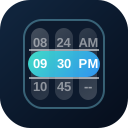
QDateTimeScroller combines date and time scrollers into one compact control. It is useful when a single field needs both pieces of information, such as appointment starts, reminders, and schedule cutoffs.
Basic
Colors
Use palette names, CSS colors, or CSS custom properties to tune the combined date-time scroller.
Disabled
Disable the full scroller or block specific date and time values.
Intervals
Use time intervals and hidden date parts when only part of the date-time value should be adjustable.
Locale
Use the locale prop to change generated date labels in the date-time header.
QInput
Place the date-time scroller in a popup when the form should still show a compact input field.
Slots
Use slots to display the selected date-time value in custom header or footer content.
Value Types
The scroller can accept common date-time shapes and emits the same shape back where possible.